

Key takeaways: IT lifecycle management automation
- IT lifecycle management automation connects provisioning, onboarding, operations, and offboarding into one coordinated workflow.
- Velory automates IT asset management across the employee and device lifecycle, replacing spreadsheets with real-time visibility.
- Automated onboarding gets new employees productive faster while reducing manual IT tasks and human error.
- Offboarding automation makes sure devices, licences, and access are recovered securely without last-minute scrambles.
- Modern platforms integrate with HR systems, directories, and MDM tools to remove repetitive administrative work.
What is IT lifecycle management?
IT lifecycle management is the discipline of tracking and managing every IT asset from the moment you acquire it to the moment you retire it. This includes hardware like laptops, desktops, and mobile devices, as well as software licences, subscriptions, and cloud services.
The lifecycle spans five core phases: planning and procurement, deployment and configuration, operations and maintenance, optimization and refresh, and finally decommissioning and disposal. Each phase requires coordination between IT, HR, finance, and procurement teams.
When these phases run manually, gaps appear. Devices go missing. Licences accumulate without assignment. Departing employees keep access longer than they should. Automation closes these gaps by connecting each phase into one continuous, policy-driven workflow.
Why IT teams are moving toward automation
Manual IT management doesn’t scale. As your organization grows, the number of devices, users, and software subscriptions multiplies. Spreadsheets can’t keep pace with real-time changes in your environment.
According to the 2026 Kaseya State of the MSP Report, which surveyed more than 1,000 providers, 83% of managed service providers say their IT management tools significantly improve operational efficiency. But those tools only work when asset data stays current and accurate.
Reactive asset management creates predictable problems. Emergency hardware replacements cost more. Unsupported software creates security exposures. Unused licences drain budget silently. Automation solves these issues by making lifecycle events predictable and plannable.
The cost of staying reactive
When you wait for equipment to fail before replacing it, you pay more at every step. You pay premium prices for expedited shipping. You lose productivity while employees wait for new hardware. You risk data loss if backups weren’t properly configured.
Running software past its end-of-support date is equally costly. Every vulnerability discovered after support ends becomes a permanent, unpatched exposure. In regulated industries, this creates compliance violations on top of security risks.
The five phases of IT lifecycle automation
Effective IT lifecycle management automation addresses each phase with connected workflows. Here’s what automation looks like at each stage.
Phase 1: Planning and procurement automation
Before you purchase any asset, you need visibility into what you already own. Automated inventory tracking prevents duplicate purchases and identifies underused resources you can reallocate.
Modern IT lifecycle management platforms connect procurement to your existing asset database. When someone requests new equipment, the system checks current inventory first. If a suitable device is available, it routes the request accordingly. If not, procurement workflows begin automatically.
Velory automates procurement with policies that standardize how your organization acquires IT assets. You set budgets, approval workflows, and supplier preferences once. The platform enforces them consistently across every purchase.
Phase 2: Deployment and onboarding automation
New employee onboarding is where many IT teams spend disproportionate time. Each new hire needs hardware provisioned, software installed, accounts created, permissions assigned, and security policies applied.
Manual onboarding means IT staff repeat the same steps for every hire. They create tickets, configure devices, wait for approvals, ship equipment, and verify everything arrived correctly. The process takes days and depends heavily on individual memory.
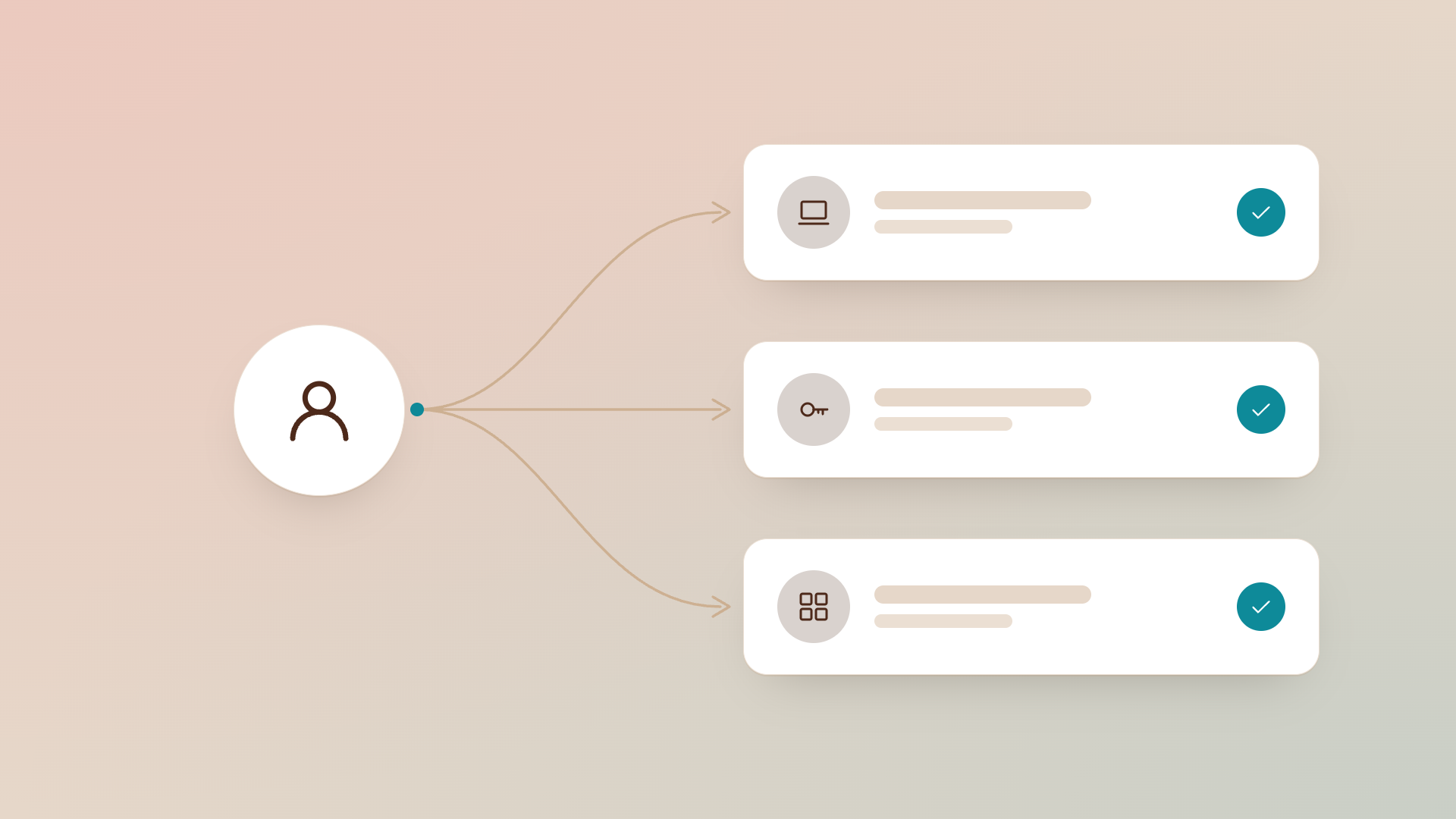
Automated onboarding workflows trigger when your HR system records a new hire. The platform provisions accounts, assigns hardware from inventory or initiates procurement, configures the device to role-based standards, and notifies the employee when everything is ready.
This approach gets new employees productive on day one rather than day three or four. It also makes configuration consistent, reducing security gaps from missed steps.
Phase 3: Operations and maintenance automation
The operational phase is the longest part of any asset’s lifecycle. During this phase, you need to keep software patched, monitor hardware health, manage licence compliance, and track whether assets are still being used effectively.
Automated patch management keeps operating systems and applications current without manual intervention. The platform identifies available updates, tests them against your environment, and deploys them according to your schedule.
Asset monitoring alerts you to problems before they cause outages. When a hard drive shows early warning signs of failure, you can replace it proactively during a planned maintenance window rather than reactively after data loss.
Phase 4: Optimization and refresh planning
Every asset has a finite useful life. Hardware degrades. Software reaches end-of-support. Warranties expire. Optimization automation helps you plan for these transitions before they become emergencies.
Automated lifecycle tracking maintains records of purchase dates, warranty expirations, and manufacturer support windows. Reports surface assets approaching end-of-life months in advance, giving you time to budget replacements and plan migrations.
This visibility turns IT capital expenditure from unpredictable spikes into manageable budget lines. Instead of discovering that 40 laptops need replacement this quarter, you plan a staggered refresh across the year.
Phase 5: Offboarding and decommissioning automation
Employee departures create significant IT workload. You need to revoke access, recover hardware, reallocate or cancel software licences, preserve necessary data, and securely wipe devices before reuse or disposal.
Manual offboarding depends on someone remembering every step. Miss one, and you have a former employee with active credentials or a laptop full of company data sitting in someone’s closet.
Automated offboarding workflows trigger from termination dates in your HR system. The platform revokes access across connected systems, initiates device recovery workflows, preserves required data according to retention policies, and tracks device return status until complete.
Velory automates offboarding workflows triggered by termination dates, keeping control over licences, subscriptions, and hardware leases during every departure. Nothing falls through the cracks because nothing depends on individual memory.
How IT lifecycle automation connects your systems
Automation only works when your systems talk to each other. Isolated tools create data silos that require manual reconciliation. Connected platforms share information automatically, keeping every system current.
HR system integration
Your HR system is the authoritative source for employee data: who works here, what role they hold, when they started, when they’re leaving. Connecting your IT lifecycle platform to HR means employee changes trigger IT workflows automatically.
When HR records a new hire, onboarding begins. When HR records a termination date, offboarding schedules itself. When HR updates someone’s role, permissions adjust accordingly. No one needs to remember to create a ticket.
Directory and identity integration
Active Directory, Azure AD, Okta, and similar identity providers control authentication and authorization across your environment. Integration makes sure accounts are created, modified, and disabled in sync with employee lifecycle events.
This integration also enables role-based access control at scale. Define what each role needs access to once. When someone joins that role, they receive those permissions automatically. When they leave that role, permissions revoke automatically.
Mobile device management integration
MDM platforms manage device configuration, security policies, and software deployment for mobile devices. Integration with your lifecycle platform makes sure devices are enrolled when assigned and wiped when recovered.
Velory connects your HR system, directory, and MDM to remove repetitive tasks and keep compliance current through MDM data sync. Your IT team stops copying data between systems and starts focusing on work that requires human judgment.
Building your IT lifecycle automation strategy
Implementing IT lifecycle automation isn’t an all-or-nothing proposition. Start with the workflows that create the most pain and expand from there.
Step 1: Establish your asset inventory
You can’t automate lifecycle management for assets you don’t know about. Begin by creating a complete, accurate inventory of your hardware and software. Include acquisition dates, warranty information, and current assignments.
Automated discovery tools can scan your network and endpoints to identify devices. Software asset management tools can inventory installed applications and active licences. The goal is a single source of truth for what you own and who has it.
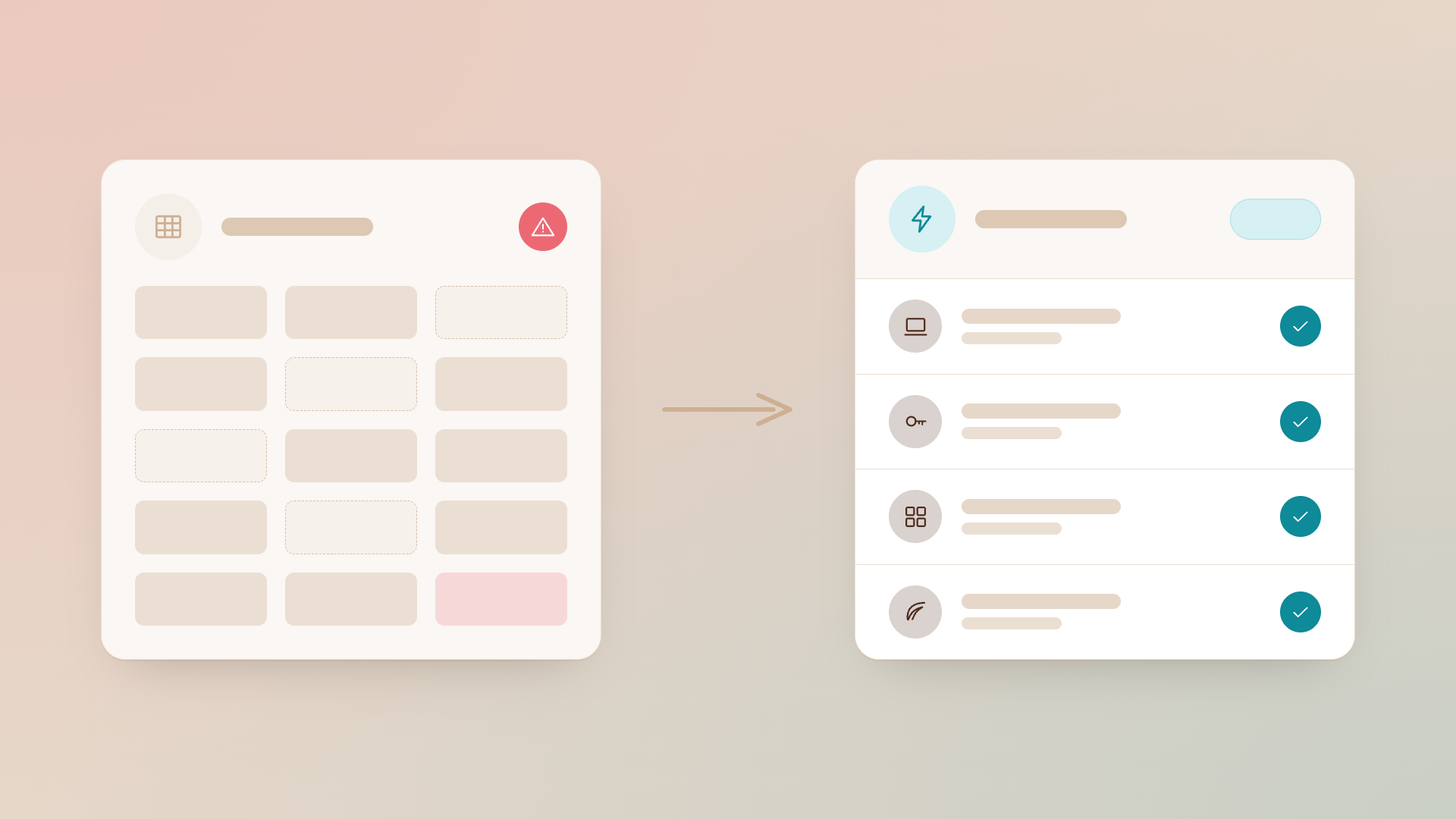
Velory replaces spreadsheets with a single source of truth, centralizing all device information so you can track who has what with clear lifecycle flows.
Step 2: Map your current workflows
Before automating anything, document how work flows today. Who initiates requests? Who approves them? What steps happen in what order? Where do delays occur?
This mapping reveals where automation will have the greatest impact. If onboarding takes five days because equipment orders wait for manual approval, automating approval workflows within budget limits removes that bottleneck.
Step 3: Define policies and standards
Automation enforces rules consistently. Before implementing automation, you need to decide what those rules should be. Which roles receive which equipment? Who can approve purchases above what thresholds? How long should devices remain in service?
Document these policies clearly. They become the logic that drives your automated workflows. Well-defined policies also make it easier to audit compliance and explain decisions when questions arise.
Step 4: Implement integration points
Connect your IT lifecycle platform to the systems it needs to interact with: HR for employee data, identity providers for access management, MDM for device management, procurement systems for purchasing.
These integrations let automated workflows span system boundaries. Without them, automation stops at each system edge and requires manual handoffs.
Step 5: Start small and expand
Begin with one workflow, perhaps automated onboarding for a single department or location. Validate that automation works correctly before expanding scope.
This incremental approach limits risk and builds organizational confidence. When people see automation working reliably in one area, they become advocates for expanding it elsewhere.
What to look for in an IT lifecycle management platform
Not every IT asset management tool supports full lifecycle automation. When evaluating platforms, look for capabilities that address each lifecycle phase.
Unified asset visibility
Your platform should offer a single view of all hardware and software assets, their current status, assignment, and lifecycle stage. Fragmented tools that require switching between systems create gaps where assets get lost.
Workflow automation
Look for configurable workflows that can trigger from events in connected systems. Onboarding shouldn’t require manual initiation. Offboarding shouldn’t depend on someone remembering to create a ticket.
Integration ecosystem
The platform should integrate with your HR system, identity provider, MDM, and procurement tools. Native integrations reduce implementation time. API access enables custom connections when needed.
Policy enforcement
Automation should enforce your policies consistently. Budget limits, approval hierarchies, and compliance requirements should apply to every transaction without manual oversight.
Reporting and forecasting
Good reporting surfaces upcoming lifecycle events, tracks workflow efficiency, and supports audit requirements. Forecasting helps you plan budgets and resource allocation based on known refresh cycles.
Common mistakes to avoid
Even well-intentioned automation initiatives can stumble. Here are patterns to watch for.
Automating broken processes
If your current workflow doesn’t work well manually, automating it just makes it fail faster. Fix the process logic first, then automate the improved version.
Neglecting change management
Automation changes how people work. If you implement new workflows without communicating what’s changing and why, you’ll face resistance and workarounds that undermine your efforts.
Over-automating too fast
Trying to automate everything at once creates complexity that’s difficult to troubleshoot. Start with high-impact, well-understood workflows before tackling edge cases.
Ignoring data quality
Automation depends on accurate data. If your asset inventory is incomplete or your HR records are stale, automated workflows will make decisions based on bad information.
The employee experience advantage
IT lifecycle automation isn’t just about operational efficiency. It also improves the experience of everyone who interacts with IT.
Faster onboarding
New employees want to start contributing immediately. When their equipment arrives configured and ready on day one, they feel valued and prepared. When they spend their first week waiting for IT, they start questioning their decision to join.
Self-service options
Modern platforms let employees handle routine requests themselves. Need a monitor? Request one through the employee store. Have a question about your assigned software? Check the portal before creating a ticket.
Velory’s employee self-service store with company-approved devices lets your team order equipment within role-based budgets. This formalizes procurement while reducing the burden on IT staff.
Consistent support
When IT workflows follow defined processes, employees receive consistent service regardless of which team member handles their request. Automation removes the variability that makes IT support frustrating.
Sustainability through lifecycle management
IT lifecycle automation also supports environmental responsibility. When you track assets throughout their lifecycle, you can make better decisions about reuse, refurbishment, and disposal.
Extending asset life
Proactive maintenance and timely repairs extend how long devices remain productive. Automation makes sure maintenance happens on schedule rather than being forgotten.
Enabling circular practices
When devices reach end-of-life for one use, they may suit another. Lifecycle tracking identifies candidates for internal redeployment or external trade-in programs.
Velory tracks circular IT flows for reuse and sustainability, helping organizations reduce e-waste while recovering value from retired assets.
Responsible disposal
Automated offboarding makes sure devices are properly wiped and disposed of through certified channels. This protects data and meets environmental regulations.
Preparing your team for automation
Successful automation requires buy-in from the people affected by it. Here’s how to prepare your team.
Communicate the vision
Explain why you’re automating and what benefits people should expect. When team members understand that automation removes tedious work rather than replacing jobs, they become supporters.
Involve stakeholders early
Include representatives from IT, HR, finance, and procurement in your planning. Their input makes sure workflows address real needs, and their participation builds ownership.
Train on new workflows
Even if automation handles most steps, people need to understand how the new processes work. Training reduces confusion and prevents workarounds that bypass your automated controls.
Measure and share results
Track metrics that show automation’s impact: time saved, errors prevented, costs reduced. Share these results regularly to maintain momentum and justify continued investment.
FAQs about IT lifecycle management automation
What is IT lifecycle management automation?
IT lifecycle management automation uses software to coordinate the processes of acquiring, deploying, maintaining, and retiring IT assets. Instead of manual tracking and ad-hoc workflows, automated platforms trigger actions based on events and policies you define. Velory automates IT asset management across the employee and device lifecycle, so nothing falls through the cracks.
How does automation improve employee onboarding?
Automation triggers onboarding workflows when your HR system records a new hire. The platform provisions accounts, assigns hardware, configures devices, and notifies employees, all without manual tickets. Velory’s automated onboarding workflows get new team members productive on day one with the right hardware and software ready to go.
What systems should integrate with an IT lifecycle platform?
Your IT lifecycle platform should connect to HR systems for employee data, identity providers for access management, MDM for device control, and procurement tools and/or vendors for purchasing. These integrations enable end-to-end automation across organizational boundaries.
Can small IT teams benefit from lifecycle automation?
Small teams often benefit most from automation because they have limited capacity for manual work. Automation handles routine tasks, freeing staff to focus on issues that require human judgment. Velory helps growing SMB IT teams automate workflows without adding headcount.
How does automation handle employee offboarding?
Automated offboarding triggers from termination dates in your HR system. The platform revokes access, initiates device recovery, preserves required data, and tracks completion. Velory automates offboarding workflows triggered by termination dates, so licences, subscriptions, and hardware are properly recovered.
What's the first step towards IT lifecycle automation?
Start by establishing a complete inventory of your hardware and software assets. You can’t automate lifecycle management for assets you don’t know about. Once you have accurate inventory, identify high-impact workflows to automate first.
How does lifecycle automation support sustainability?
Lifecycle automation tracks assets from acquisition through disposal, enabling better decisions about reuse and recycling. Velory tracks circular IT flows for reuse and sustainability, helping organizations reduce e-waste while recovering value from devices that have completed their primary use.
.jpg)